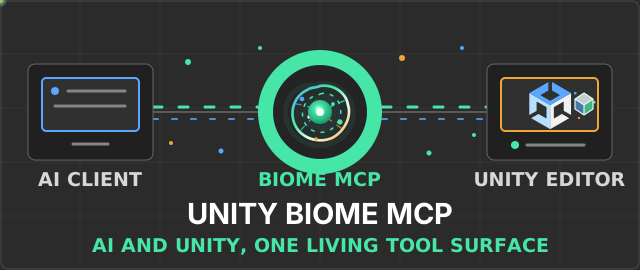
Unity Biome MCP
Control the Unity Editor from any MCP-compatible AI client — or from chat inside Unity.
Scene & Objects
Inspect and modify GameObjects, components, assets, materials, shaders, and UI elements.
Playtest DSL
Deterministic test workflows with assertions, wait conditions, sweeps, and visual baselines.
Batch Operations
Group compatible operations into a single call, with optional undo-backed rollback on failure.
Animation & VFX
Work with clips, Animator controllers, Timeline, particles, materials, and Shader Graph.
In-Unity Chat
Ask or Agent mode inside the editor with context chips, undo grouping, and multi-backend support.
Plugin System
Extend with project-specific server tools, Unity commands, chat chips, and hook points.
Start Here
| Goal | Guide |
|---|---|
| Install and connect | Getting Started |
| Choose an MCP client | Client Guides |
| Install AI skills | AI Skills and Agents |
| Configure settings | Settings |
| Use In-Unity Chat | MCP Chat |
| Compare products | Product Comparison |
Tools
| Category | Reference |
|---|---|
| All tools | Tool Reference |
| Decision guide | Tool Decision Guide |
| Scene | Scene Tools |
| Objects | Object Tools |
| Batch | Batch Operations |
| Animation | Animation Tools |
| Shaders | Shader & Material Tools |
| UI | UI Tools |
| Screenshots | Screenshot & Visual Diff |
| Components | Component & Event Tools |
| Assets | Asset Tools |
| Diagnostics | Diagnostics |
| Runtime | Runtime & Playtest |
| System | System & Orchestration |
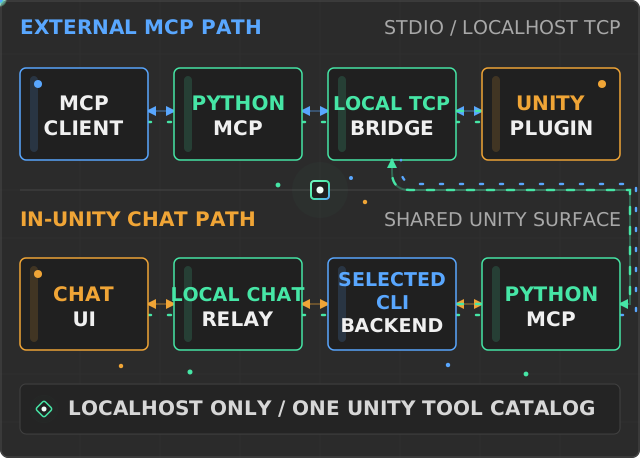
Architecture
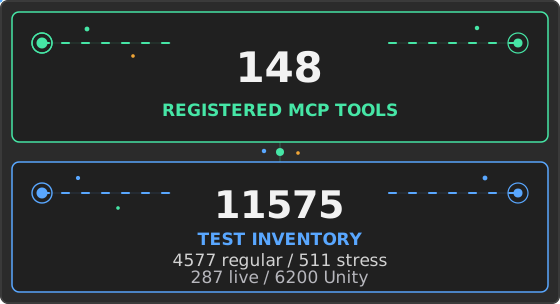
Project Inventory
Workflows
- Prompting Tips
- Intent Tools
- Playtest DSL
- Playtest Composer
- Wait Conditions
- Prefab Editing
- Region Selection
- Code Execution
- Skills and Templates
- Reliable Test Runs