Unity MCP Product Comparison
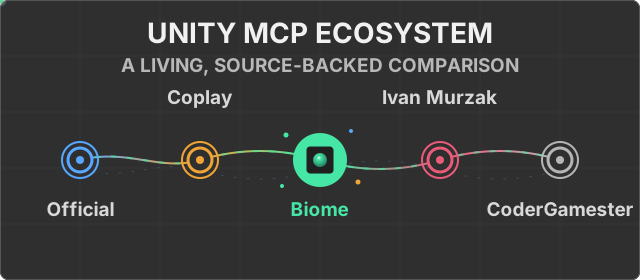
This August 16, 2026 snapshot compares publicly documented Unity MCP products. It does not assign an overall winner: projects optimize for different Unity versions, deployment models, safety controls, and workflows.
Method and terminology
- The official Unity MCP Server is checked against the linked Assistant 2.17.0-pre.1 documentation and changelog.
- Open-source snapshots are pinned to MCP for Unity v10.1.2 (
4ce7dd3), AI Game Developer 0.87.0 (3a9eb6c), and MCP Unity at default-branch commit0e9fdb6. - Documented means the linked source or documentation describes the capability.
- Limited means the documented scope is narrower than the capability definition.
- Not documented means no comparable capability was found in that public snapshot. It does not prove that the capability is impossible.
- Tool-entrypoint counts are inventory, not a quality or coverage score. Projects group actions differently.
Product Guide
Unity Biome MCP
- Best fit: deterministic PlayTest DSL and suites, pixel baselines with optional semantic comparison, and a broad local Unity tool surface.
- Snapshot: Unity 6000.0; 160 registered tools; Python 3.14+ through
uv; MIT. - Relevant constraint: Unity 6 and a Python/
uvserver. Semantic comparison requires a configured Claude CLI and LLM budget. Remote transport and MCP in a compiled player are not documented.
Unity MCP Server / Assistant 2.17.0-pre.1
- Best fit: first-party local relay and IPC bridge with connection approval and multi-client controls.
- Snapshot: Unity 6000.0; the package installs a local relay, and MCP and gateway connections are not entitlement-gated. Fixed tool count, public source, and license are not stated in the cited official documentation.
- Relevant constraint: the exposed Unity MCP Server is local; the package's separate Streamable HTTP feature configures Assistant as a client of remote MCP servers.
MCP for Unity v10.1.2 / 4ce7dd3
- Best fit: the broadest declared compatibility floor at Unity 2021.3 LTS, plus opt-in 2D/3D asset generation and import.
- Snapshot: 47 published tool entrypoints; Python 3.10+ through
uv; MIT. - Relevant constraint: generation uses third-party providers and user-supplied keys. Unity applies batch commands sequentially; rollback is not documented.
AI Game Developer 0.87.0 / 3a9eb6c
- Best fit: MCP in a compiled game and local, HTTP, cloud, and Docker deployment.
- Snapshot: Unity 2022.3; 70+ published tools; prebuilt server and npm setup CLI; Apache-2.0.
- Relevant constraint: compiled-player runtime starts without built-in tools; project code must add them. HTTP authorization supports
none,oauth, ortokenand defaults tonone. No general batch or Undo rollback is documented.
MCP Unity / 0e9fdb6
- Best fit: optional Unity Undo rollback for batch operations and an interactive MCP App dashboard and resources.
- Snapshot: README declares Unity 6 while the manifest declares 2022.3; 33 tools are listed; Node.js 18+; MIT.
- Relevant constraint: Undo rollback covers recorded Unity changes, not every external side effect. The dashboard requires VS Code 1.109+.
Capability Evidence
The two-column layout remains readable on narrow GitHub views. Products listed as not documented had no comparable capability in the cited snapshot.
Setup and operation
| Capability | Documented support |
|---|---|
| Assisted client setup | Biome: Setup Wizard Unity MCP Server: automatic integration setup MCP for Unity: configure detected clients AI Game Developer: Editor configuration and CLI MCP Unity: Editor configuration buttons |
| General cross-tool batch | Biome: batchMCP for Unity: Unity-side sequential batch_executeMCP Unity: batch_executeNot documented: AI Game Developer or Unity MCP Server; Unity's batch-mode setting controls connection approval, not operation batching |
| Undo rollback for a general batch | Biome: optional Unity Undo rollback MCP Unity: optional Unity Undo rollback Not documented: Unity MCP Server, MCP for Unity, AI Game Developer |
| Multiple loaded scenes | Biome: add, close, activate, and transfer Unity MCP Server: limited scene management; multi-loaded-scene operations are not specified MCP for Unity: manage_scene additive workflowAI Game Developer: list, open, activate, and unload MCP Unity: load_scene additive loading |
| Multiple projects or Unity instances | Biome: project-aware port discovery Unity MCP Server: target by project path or Editor PID MCP for Unity: explicit multi-instance routing AI Game Developer: deterministic per-project ports Not documented: MCP Unity |
| Multiple clients on one Unity instance | Biome: up to eight clients per port Unity MCP Server: explicit multi-client support Not documented: MCP for Unity, AI Game Developer, MCP Unity |
| Tool visibility controls | Biome: capability categories Unity MCP Server: per-tool enable/disable MCP for Unity: manage_tools groupsAI Game Developer: per-tool enable state Not documented: MCP Unity |
Verification and development
| Capability | Documented support |
|---|---|
| Unity Test Runner | Biome: EditMode and PlayMode tools MCP for Unity: run_testsAI Game Developer: tests-runMCP Unity: run_testsNot documented: Unity MCP Server |
| Deterministic scenario DSL | Biome: PlayTest DSL and suites Not documented: Unity MCP Server, MCP for Unity, AI Game Developer, MCP Unity |
| Screenshot capture | Biome: Game, Scene, and multi-view MCP for Unity: Game, Scene, and multi-view AI Game Developer: Camera, Game, Scene, and isolated Not documented: Unity MCP Server, MCP Unity |
| Visual baseline and diff | Biome: pixel comparison with optional semantic comparison through a configured Claude CLI and LLM budget Not documented: Unity MCP Server, MCP for Unity, AI Game Developer, MCP Unity |
| Roslyn validation or execution | Biome: code execution and analysis Unity MCP Server: limited script validation levels; implementation and arbitrary execution are not documented MCP for Unity: optional script validation AI Game Developer: script-executeNot documented: MCP Unity |
| Custom project tools | Biome: plugin API and entry points Unity MCP Server: attributes, interfaces, and runtime registration MCP for Unity: dynamic custom-tool service AI Game Developer: attribute-based custom tools MCP Unity: manual C# and TypeScript extension |
Interaction and deployment
| Capability | Documented support |
|---|---|
| Direct-client connection approval | Unity MCP Server: first direct connection requires approval MCP for Unity: remote API-key authentication; local interactive approval is not documented AI Game Developer: optional transport authentication; interactive approval is not documented Not documented: Biome, MCP Unity |
| Chat window inside Unity | Biome: bundled multi-backend Chat Unity MCP Server: separate Assistant UI in the same package Not documented: MCP for Unity, AI Game Developer, MCP Unity |
| MCP inside a compiled player | AI Game Developer: documented runtime support; built-in tools are not included in runtime Not documented: Biome, Unity MCP Server, MCP for Unity, MCP Unity |
| Remote MCP transport | Unity MCP Server: local stdio relay and IPC bridge; the exposed server has no documented remote transport MCP for Unity: authenticated HTTP transport AI Game Developer: Streamable HTTP and Docker deployment MCP Unity: MCP transport is stdio; its remote option is for the Node-to-Unity WebSocket bridge Not documented: Biome |
Maintenance
This page is intentionally dated because competitor capabilities change quickly. When updating it:
- Re-check every external project at one explicit commit or package version.
- Prefer source code and official product documentation over announcements.
- Replace stale claims instead of adding historical notes to the matrix.
- Keep unknowns as not documented and avoid inferred negatives.
- Verify the published desktop and narrow/mobile GitHub layouts.